Journal / Product / The Bottleneck is moving
Let everyone prototype with Claude Code
For most product managers, testing an idea with customers still means waiting. You write a brief, a designer turns it into mock-ups, and the mock-ups look close to the product but not quite. If the idea needs real interaction, you wait for engineering time. Weeks pass before a customer sees anything they can click.
Why most companies never start
The objections are predictable, and each one sounds reasonable:
- "Prototype code will end up in production."
- "The design system will fall apart."
- "I don't know how to use a terminal."
- "I don't know how to code."
- "I'm afraid I will break something."
- "Public links will leak unreleased features."
- "Customers will expect it next week."
- "Everyone will build their own pet features."
- "Who pays for it?"
Together they are often enough to keep prototyping with designers and engineers. Yet each of them can be solved in how you set things up. This is how we approached it at Swat.io, from the point of view of a product manager. The same works for designers, customer success and marketing.
Set up once
A product manager opens Claude Code and runs a single setup command. A Claude skill checks access to the playground on GitHub, installs what is missing and reports what still needs attention. Ten minutes later they are ready, and they never have to open a terminal again.
The playground is a separate copy of our front end with mock data instead of a real back end. It cannot touch production data or live systems. That answers the first objection before anyone raises it: nothing built there can end up in the product by accident.
Build the idea
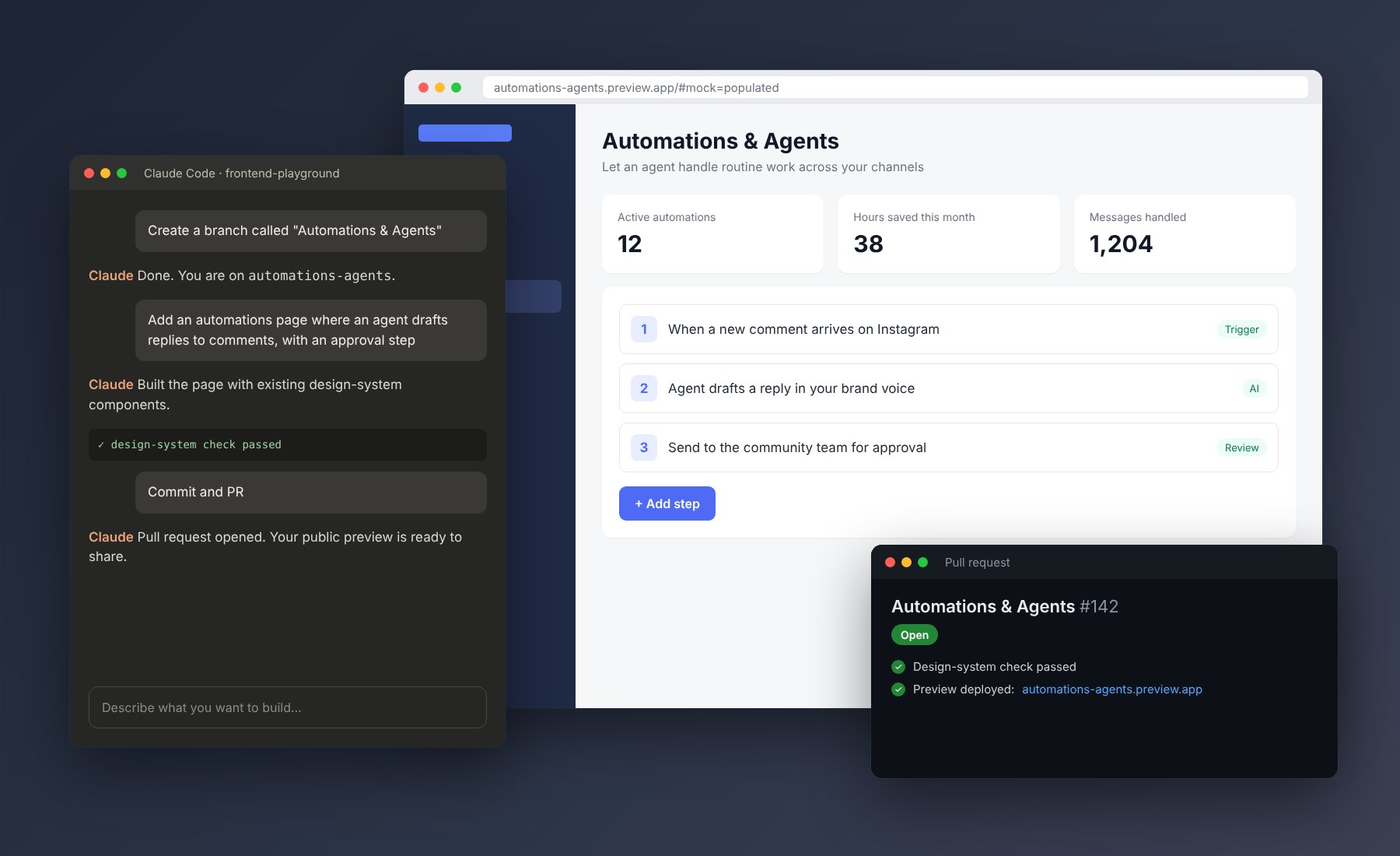
The product manager types "Create a branch called Automations & Agents". Then they describe what they want, much as they would explain it to a designer, and watch the preview update next to the conversation. Because the playground uses the real components and design system, the result looks and behaves like the product customers already know.
A parameter in the URL switches between three versions of the data: a busy workspace, an empty one and the onboarding flow. That makes it easy to check how an idea works for a long-time customer and for someone who has just signed up.
When they ask Claude to make a button stand out more, Claude uses an existing button style instead of changing the shared component. Instructions in the repository tell it to, and an automatic check would block any change to the design system anyway. Anything genuinely new goes to the design team, so the design system stays intact.
Show it to customers
When the prototype is ready, the product manager types "Commit and PR". Claude replies with a public link. The link uses only mock data, is hard to guess and expires two months after the last change. The account manager shares it with a few customers as an experiment, without a date attached.
Within a day or two the reactions are in, and they go into the project in Linear. The team then decides whether and when to build the idea properly. The prototype does not set the priority; it makes sure the decision is based on something real.
Improve the starting point together
When someone notices a gap in the mock data or an issue that affects every prototype, they fix it on a separate baseline branch and open a pull request. A front-end engineer reviews it, and from then on every prototype starts from a better place. Engineers stay involved where it matters, in shared code, without having to review every prototype.
The cost of all this is a set of licences and some hosting for preview links. Compare that with one round of design and engineering time spent on an idea customers turn out not to want. The first avoided rebuild usually pays for the year.
How to set this up in your company
- Create a playground. Copy your front end into a separate repository with mock data and a few data states, and no access to production systems.
- Write instructions for Claude. Add a file that tells Claude how to run the preview, which components to use and what it must not change.
- Add a design-system check. Fail automatically when a prototype changes a shared component.
- Set up preview links. Give every pull request a public URL that expires after a period without changes.
- Write a setup skill. One command that checks access, installs what is missing and reports what is left.
- Arrange access. A GitHub account in your organisation and Claude Code for everyone who should prototype.
- Write a one-page guide and record a short video. Show the handful of sentences people type, from branch to public link.
- Agree who reviews the baseline. Name a front-end engineer for changes to the shared starting point.
- Start small. Begin with three or four people from different teams, sit next to them, fix what confuses them, then open it up.
This is part 3 of the series The Bottleneck is moving. Part 4 covers how to get usability test results in 48 hours, and part 5 automated demo videos with Claude, Playwright and HeyGen. If you are setting up something similar in your company, I would like to hear how you approached it.